
Podcast Mic Review: Shure SM7B vs Shure MV7. Plus Riverside + Descript Promo Links
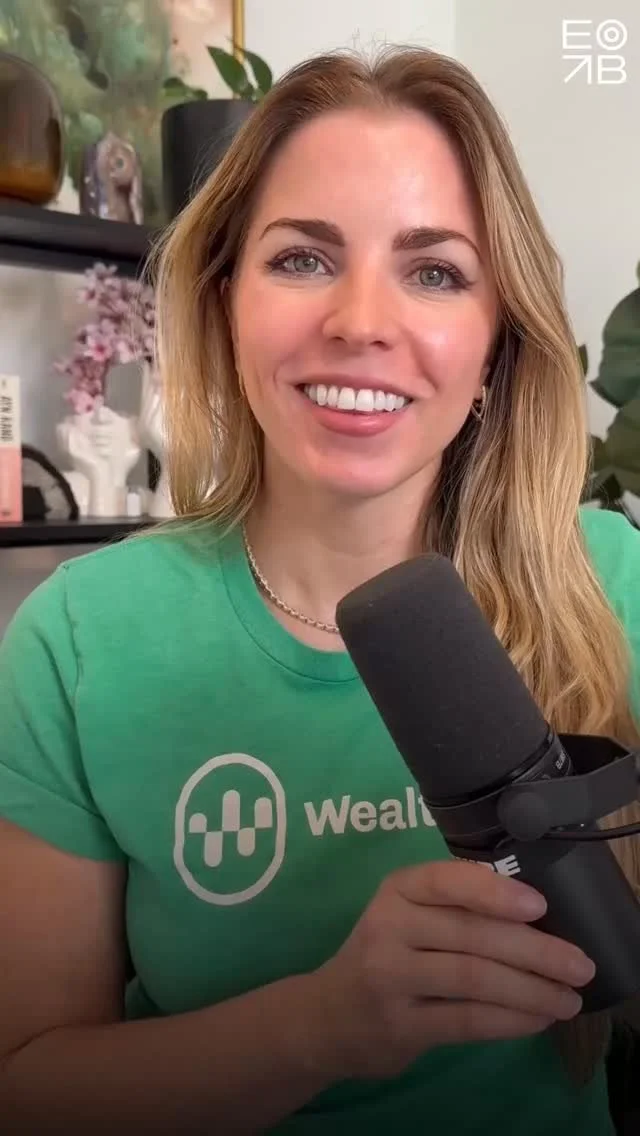
(Updated August 4, 2025). Which podcast microphone should you buy? Watch Emily’s review below of two of the most popular and beloved podcast mics: Shure SM7B vs Shure MV7.
Click to jump to Part 2 for two best tools / apps to record and edit your podcast.
Part 1: The Two Best Podcast Mics
Mic 1: Shure SM7B (the gold standard, the Thriller mic)

Price point: $439-$549 (as of August 2025 on Amazon)
XLR microphone
Recommended: Option A) Shure SM7dB Dynamic Vocal Microphone w/Built-in Preamp: This newer version has a built-in pre-amp, *meaning you do not need a Cloudlifter. WE LIKE THIS SIMPLER SETUP BETTER than Option B.
Price: $549 before additional gear.About the built-in preamp: Providing up to plus 28 dB of low-noise, flat, transparent gain, the onboard preamp preserves the mic’s frequency response for a clean, classic sound. All you need is an interface or mixer such as Scarlet Focusrite offering plus 48V phantom power to operate the preamp. You don’t need the Cloudlifter.
Additional gear required for SM7dB (Option A):
Audio interface / pre-amp: Scarlet Focusrite. Version: The Solo is fine for a single person. Get the Duo for two people (two mics) in the same room.
Boom arm (we love the Gator Deluxe)
Two XLR cables
Get an Anker dongle, trust us, you’ll use it for everything. Mac and PC friendly.
Shop it all: Shure SM7dB Complete Gear List on Amazon
Option B) Shure SM7B Microphone - Vocal Dynamic Studio Mic: The classic / original shown in Emily’s video. It requires both a Scarlet Focusrite and a Cloudlifter.
Price: $439 before additional gear.Additional gear required for SM7B (Option B):
Audio interface / pre-amp: Scarlet Focusrite (the Solo is fine for a single person recording, get the duo for two people)
Add gain with Cloudlfiter (you do not need this with Option A that has a built-in pre-amp)
Boom arm
Two XLR cables
Get an Anker dongle, trust us
Shop it all: Shure SM7B Complete Gear List on Amazon

Everything you need to sound great on the Shure SM7B - shop our gear list
Mic 2: Shure MV7: The SM7B’s little brother
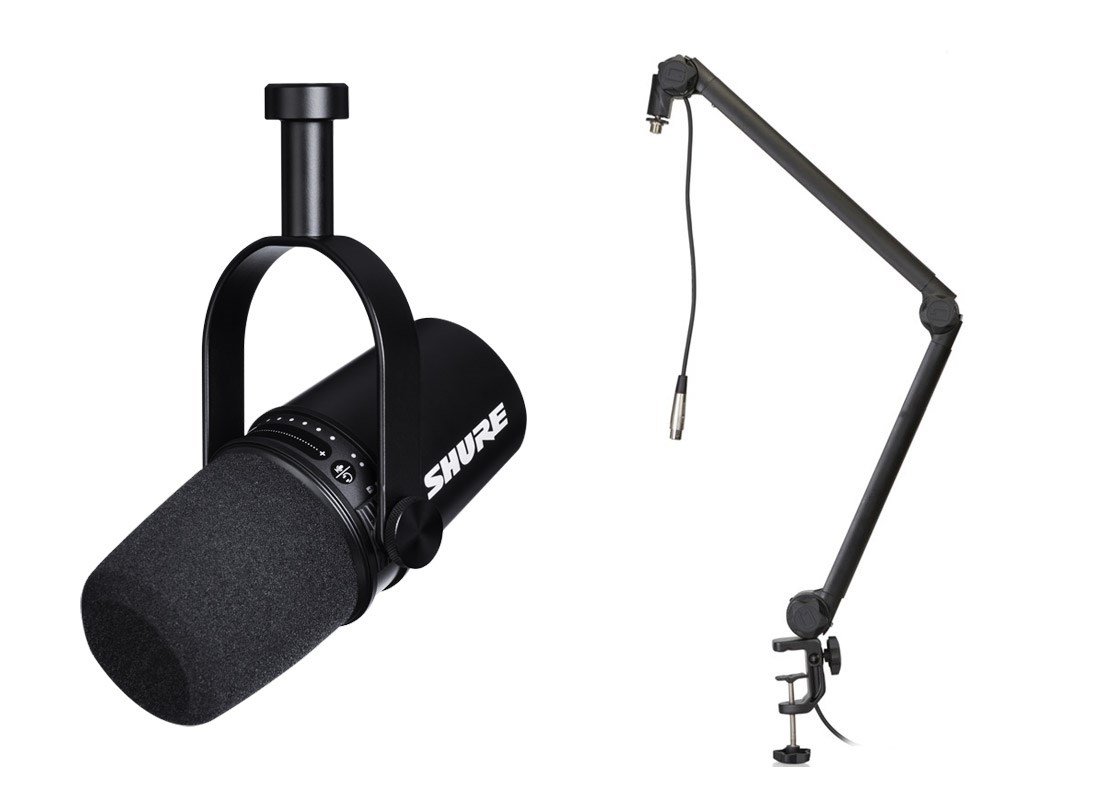
Price point: $249
USB or XLR microphone
Design is less sexy but still fine
Portable and simple: plug-and-play single USB (or XLR option) with no extra gear needed
Sounds good (not great like SM7B) but many podcasters like Bethenny Frankel use it
Great for travel e.g. bring to your hotel room and record on the go
Buy the one that comes with a tripod or we prefer the look of a boom arm (here’s the only bundle you need). Note: Any regular boom arm you buy will be standard size and fit standard mics like either of these so don’t worry about compatibility
Shop it: Full MV7 gear list on Amazon here (either get the option with tripod OR the boom arm; buy the plain mic if you already have a stand):

Mic chosen. Now let's record and edit with the BEST user-friendly podcast tools for beginners or advanced!
Part 2: The Two Best Tools/Apps for Podcast Recording & Editing

Riverside lets you easily record quality audio or video remotely. Share and edit clips. AI tools included.
Tool 1: Video / audio podcast recording with Riverside.fm
Riverside is your online studio for high-quality podcast and video recording and editing. Powered by AI, built for human conversations.
Invite your guest to meet in your virtual studio. Screenshare, present slides or charts, have multiple guests. Recordings are stored in the cloud and can be exported for fine editing, or use the built-in AI to create Magic Clips quickly sized for social media (vertical, horizontal, square, and YouTube size).
Hear how it sounds:
This is a podcast episode that we produced for Satovsky Asset Management (see case study for Wisdom, Wealth, and Wellness podcast). Jon interviewed the legendary investor Joel Greenblatt in a remote Riverside video recording (2 guests and 1 silent producer on the call).
Hear it: Play on Apple or Spotify.
See it: YouTube video below or watch a Short here
Sign up with this Riverside promo link for a discount.
Tool 2: Easy audio / video editing with Descript
Edit audio or video like a Word doc. Get a professional output without the learning curve. Try Descript with our promo link.
Descript lets you edit audio or video like a Word doc. People who use it are typically huge fans. It is not quite as granular as FinalCut or more complex tools but is much easier to learn and use. If you are using iMovie, stop and go to Descript - promise. It’s so easy it feels illegal. HT Mitch Joel for the original Descript tip a couple years back.
Copy, cut and paste text from the transcript and the output follows. This is so. much. better. than. iMovie. This is the fastest magic-feeling editing you'll ever do.
Create vertical video clips, Reels, Shorts, and YouTube videos or audiograms using templates. You can also record directly into Descript which is great for “talking head” videos or vlogs, or solo podcasts.
The voice dub AI feature lets you magically fix mistakes in recorded speech by dubbing over a speaker.
Try the best, easiest editing software with this Descript promo link.
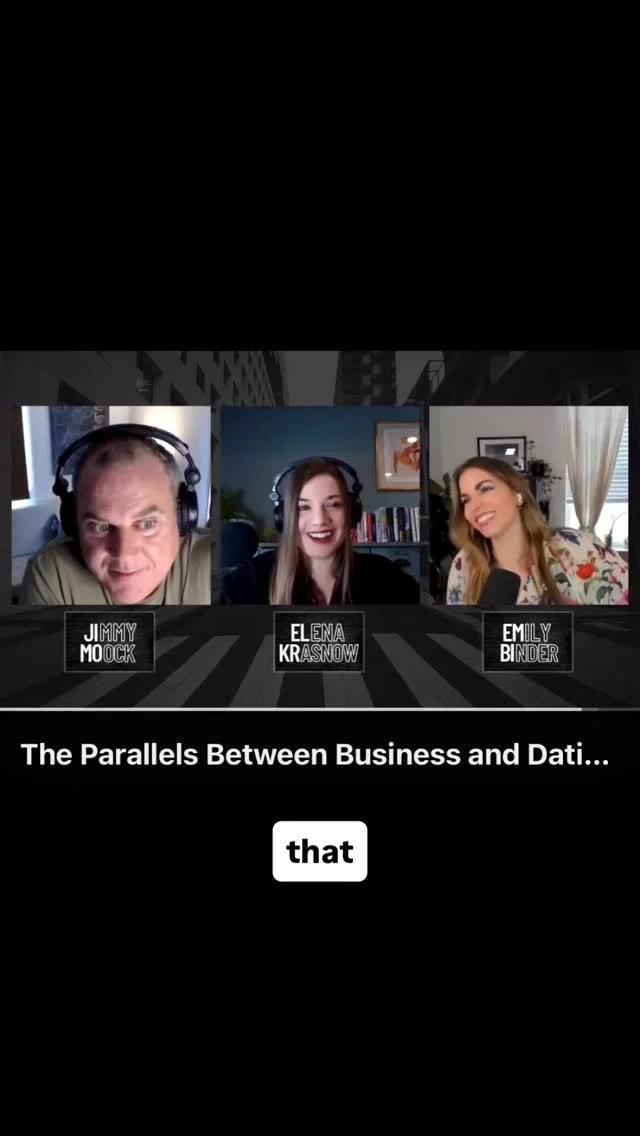
Hear Emily’s latest mini-pod:
Instagram @beetlemoment
This post was first published on September 28, 2023. Updated March 11, 2024.

Emily Binder's Top Three Podcast Tips (Videos)
Get your podcast or Flash Briefing / WealthVoice Alexa skill up and running with these three must-know starter tips. Voice marketing expert Emily Binder covers the best microphone options for beginners to advanced, the top marketing mistake many podcasters make, and the number one podcast SEO tip.
1) Podcast Microphone: 3 Best Mics (Review)
Get the perfect microphone for your podcast whether you're a beginner or advanced. Emily reviews three great choices (one is free: your phone!). This 7-minute video includes the famous Shure SM7B. Whether you choose Blue Yeti or Shure, ALL the equipment you'll need is linked in the YouTube description or here:
A) Blue Yeti, the top USB mic in the world. The Blue Yeti Amazon Idea List includes:
Blue Yeti USB mic
Boom arm / desk clamp with pop filter
Extra USB cable (have 1 as a backup)
B) Shure SM7B podcast microphone bundle (everything you need).
2) Avoid the #1 Mistake: A Better Way to Share Your Podcast on Social Media
“Don’t make this common mistake when sharing your podcast on social media! Here's a free solution that I use for my podcasts and suggest to all my clients. A universal podcast link. Get your show's 1-click Plink link: https://beetlemoment.com/plink
It’s a single podcast smart link and it will cover your bases for all the major podcast apps. This way you don’t alienate any audience and get the benefit of one simple CTA in your social posts. Sharing your podcast on social media is a key way to grow your audience, so don't make the mistake of sharing only the Apple Podcasts or Spotify or show notes page link!” -Emily
3) Top Podcast SEO Tip: Your Episode Descriptions
“This is my number one tip to get SEO value out of every podcast episode. It's so simple and effective. Google search will scrape keywords but especially outbound links (hyperlinks) that have rich anchor text (keywords that make up the hyperlink).
This means your podcast episodes can outrank blog posts, especially for unique search terms relevant to your brand or business. I show you an example of how my search for ‘onramp invest alexa quick link’ turned up a four-month old Spotify podcast episode I had done where I used similar text in a hyperlink in that episode's description.” - Emily
Subscribe Free to the Mini Podcast: Voice Marketing with Emily Binder

Working from Home - Our Favorite Products for Productivity and Health
Are you working from home? Here’s a list of our favorite products including everything from electronics and computer equipment to natural snacks and ergonomic gear to make you more productive and energized.

Shop our favorite home office products from electronics to healthy snacks
The list includes:
Backup cables (don't be quarantined without a spare charger!) #preparation
Ergonomic desk gear (see Emily’s reviews of the best standing desks for more info)
The best quality water filter (the Big Berkey removes pathogens, impurities, and more)
Aromatherapy for natural energizing ambience (peppermint helps when you have OD’d on caffeine)
Natural healthy snacks and mold-free coffee
Laptops and USB-c / USB hub adapters (especially handy for Macbook and Macbook Pro)
Links support our podcast and help pay for hosting, so if you’re going to buy something, we appreciate your click-through!
YOUR HOME OFFICE SHOPPING LIST:
Working from Home Goodies and Gadgets - from Emily Binder's Recommendations
Listen to Some Good News
Coronavirus got you down? Need a break from the headlines? Get Emily’s daily update about marketing and voice, a Flash Briefing of 2019 Award Finalist. It’s one to three minutes, every weekday.
How to listen:
Enable this Alexa Flash Briefing skill then say “Alexa, news”
Subscribe free in your favorite podcast app:

Best Podcasting Equipment
You can get a quality podcast recording setup for a couple hundred bucks. Here are our simple recommended tools with links to purchase.

Clients getting started with a podcast or Flash Briefing often ask what they should buy. In the last few years, the technology and equipment available to anyone who wants to record and publish audio has improved considerably and prices have dropped.
Sound good, easily.
You can get a quality podcast recording setup for a couple hundred bucks.
This post has the perfect equipment for podcasting beginners or intermediate level. It’s short so you don’t have to wade through reviews and tons of information. Just buy a few of the items we recommend and start recording!
Reach out if you want help with your content strategy or podcast marketing.
(Updated): Best Easy Video Podcasting Setup for Zoom:
Watch Emily’s video showing the best home podcasting setup for video podcasting with Zoom:
Podcast Hosting (RSS Feed and Scheduling Tool):
You will need an affordable podcast host to generate your RSS feed and store your audio files (your episode mp3s). We recommend Acast. You can get a $25 Amazon Gift Card when you sign up from our page. Our clients have been happy using Acast for podcasts and Flash Briefings.
Watch Emily’s interview with Tess Neudeck from Acast: What Podcasters Should Know.
Read the rest: Best Easy Podcasting Equipment – Microphone and More

1 Link to Share Your Podcast Everywhere: Plink Smart Link - Social Media
Grow your podcast audience. Send listeners to the right place every time. Your podcast already has a free Plink that opens your show in the listener's podcast app. Best for social media to simplify sharing.
What is the number one mistake podcasters make when sharing their show on social media? Emily Binder breaks it down in this 60-second video and shares the solution we recommend:
Want to reach a larger audience?
Over 55% of U.S. adults have listened to a podcast. What’s stopping the rest?
48% of people who don’t listen to podcasts say it’s because they’re “not sure how to listen.”
Of the people who don't listen to podcasts, 80% (wrongly) think they "don't have a podcast app on their phone” (via Edison Research).
In reality, iPhone and Android phones have a native podcast app. And all smartphones can play podcasts from a mobile browser. So reassure your social media audience that they can indeed access your podcast with one simple link. Remove any perceived friction from both seasoned podcast listeners and newbies.
Podcast hosts:
You know the moment of uncertainty when it comes time to share a new episode on social. Do you share the Apple link, the podcast’s home page/show notes with the web player, Spotify, SoundCloud, all of it, or what?
If you tweet an Apple Podcasts link, you could miss your entire Android audience.
We’ve all seen single tweets containing multiple links to play a podcast in Apple AKA iTunes, Google Play, Stitcher, and more. Those posts are messy and violate one of the rules of marketing:
Simplify your CTA (call to action).
There is an easy solution: Plink.
What you want is a nice clean social post with ONE link. Don’t confuse your audience and make them figure out what to click.
This is what Emily Binder suggests to clients. We use it to share our podcast and Flash Briefing.
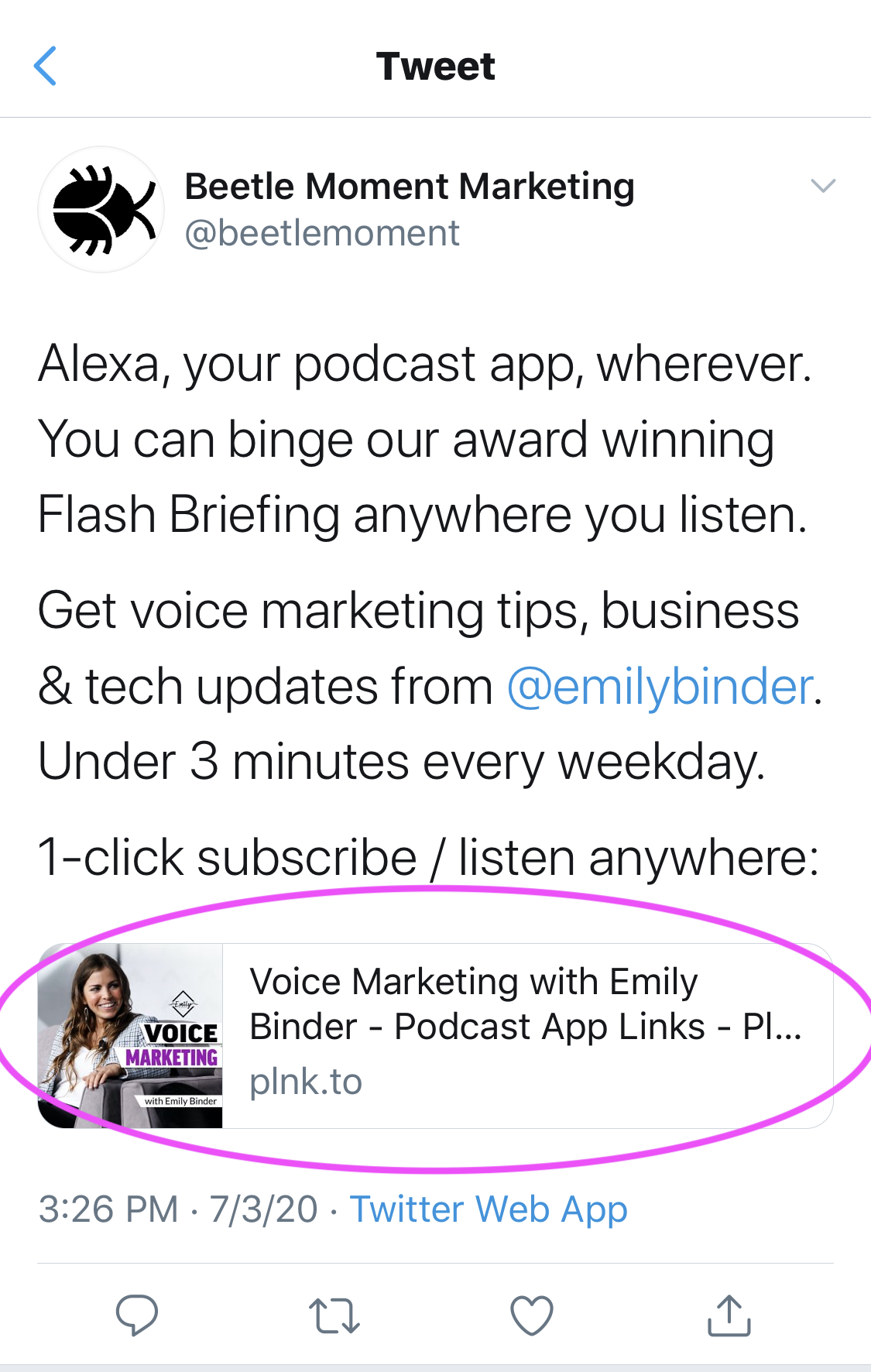
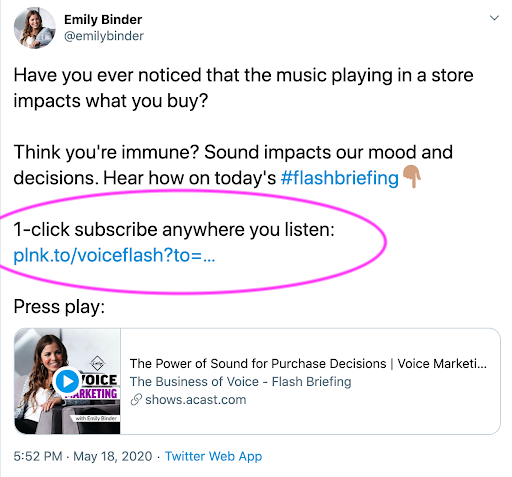
Example tweets using Plink (circled in pink), scroll right below:
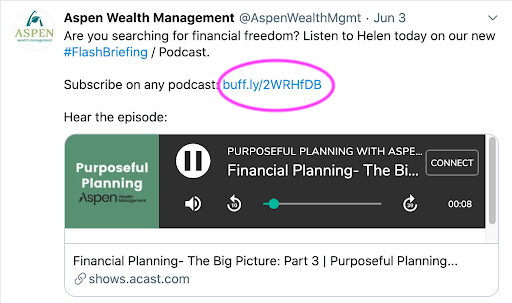
Plink universal podcast links
Plink makes smart links that automatically open the right podcast app on mobile, or present links to all the major podcast apps (AKA podcatchers).
Plink makes smart links for podcasts that everyone can play.
Podcast + link = plink
Click “More” in the Plink widget below to see all the additional podcast app options including Overcast, Castbox, Stitcher, Soundcloud, Pocket Casts, and more. Individual episodes also have their own Plinks:

Plink links send listeners to the right place, every time. Whether that’s from iOS, Android, a laptop, a watch, or a messaging app. Plink recognizes devices/OS then deep links listeners into pre-installed podcast apps if opening a Plink link on mobile. If opening on desktop, it sends the listener to the podcast’s Show Page with app links for Apple Podcasts, Google Podcasts, Spotify, Overcast, Breaker, and more.
Cost:
For $39/year you can create your customized podcast smart link with bonus features. Otherwise the service is free. Features with the paid version:
Custom, short link
$39/yr - plnk.to domain
Everything else included in Free, plus:
Custom, short branded link (plnk.to/yourshow)
Remove "Powered by Plink" branding
Add your iTunes Affiliate ID (optional)
Add/Edit/Customize pod apps URLs
Customize Show Pages & Embeds
Increased visibility - search indexing (helps podcast SEO)
Dedicated support specialist
List 100 latest episodes links
Link analytics
The paid version/upgrade is affordable at under twenty dollars for the year, and looks more professional too. For example, here are vanity URLs from two popular podcasts:
Barry Ritholtz - Masters in Business: https://plnk.to/MIB (see our case study on launching v1 of The Compound Show with Ritholtz Wealth Management CEO, Josh Brown)
This American Life: https://plnk.to/thisamerlife
More benefits of Plink:

This is what our Plink podcast landing page looks like. All the major podcast apps on a neat menu with individual episodes, too.
A podcast app menu widget with an easy embed code for your blog
How to get it: click “Share” from the show’s Plink page, then copy and paste the code as Markup / HTML on your website. It will look the the Beetle Moment Marketing Podcast menu you see here.
Ability to send users to a specific podcast app (a feature with the paid plan):
Plink smart links, without any parameters added (params outlined below), will detect the listener’s device, geo, and other factors and send them to your show in pre-installed podcast apps like Apple or Google Podcasts automatically. This is a link that anyone can play, no matter their device or OS. It works on iOS, Android, desktop, etc. (That is the first link below). Or you can utilize other variations that you now own, too (links are case-sensitive):
plnk.to/beetlepod?to=page (to always send to the Show Page menu - where desktop/laptop users are sent regardless. Use this link if you want mobile users to see the menu instead of automatically opening in their app such as Apple Podcasts)
plnk.to/beetlepod?to=embed (for website Embeds on your own site - iframe code snippets are found at bottom of Show Pages)
plnk.to/beetlepod?to=applepod (to always send to Apple Podcasts if needed for some reason (e.g.. exclusives))
http://plnk.to/beetlepod?to=googlepod (to always send to Google Podcasts)
http://plnk.to/beetlepod?to=spotify (to always send to Spotify)
Reminds me of…

75% of Americans are Now Familiar with Podcasting: This is approximately 212 million people and an increase of more than 10 million in one year. (Infinite Dial 20)
Have you used the music sharing app Songwhip? It lets you share a universal link (instead of a link to a song on Spotify or YouTube etc.). This way, friends can open the song you share on their music streaming player of choice: Spotify, Apple Music, Google Play, Pandora, etc.
Feeling musical? Here are some Songwhip link examples - click to play on your favorite music app:
Plink is offering something similar to Songwhip, but for podcasts. Make sense? Yeah!
Find any podcast’s Plink here to check it out.
This is the closest thing we’ve seen to a solution for the common problem that sharing your podcast is a major PITA.
To be thorough, here are a couple alternatives to Plink:
1) You can use smart.url, a subscription service, to accomplish the same thing:
Smart & powerful. One link that redirects by country and device. smartURL combines all the features previously found in Country, Device and Music types.
2) Playpodca.st offers a smart link for a one time charge of $25:
Get a playpodca.st shortcut to your show today, and you will have a link that takes your listeners to a native podcast player, no matter whether they are clicking from iOS, Android, Windows or Mac.
Desired: All Plink needs is to integrate with Alexa Flash Briefing. We hear this feature is coming soon. For example, our Flash Briefing, Voice Marketing with Emily Binder is available on the major podcast apps. But we’d like to have Alexa Flash Briefing as one of the assorted podcast app options on the Plink page.

Monthly Podcast Listeners Have Grown 54% in 3 Years: In 2017, 24% of Americans 12 or older listened to podcasts monthly, compared to 37% in 2020. (Infinite Dial 20)
Bottom line:
Shortlinks like Plink make marketing podcasts easier. Hosts and producers can promote a show with one, smart link. Learn more and find your show’s Plink smart link: plinkhq.com
This post is not sponsored. But if you sign up with our link we’ll get a small referral fee which helps pay for hosting the podcast and blog. Our goal is to share knowledge that will help podcasters stop tweeting out a mess of links. :)
This post was updated March 2021 to provide the latest stats and links.